

Windows
Version 1.0.4
Bitcoin for everyday life
Send and receive Bitcoin through an open, decentralized network. Use Lightning for everyday payments or on-chain transfers when required. Blink Wallet brings these tools to Windows, macOS and Linux, with self-custody available through Spark.
Version 1.0.4 · Windows · macOS · Linux

Desktop · Version 1.0.4
A full-size Bitcoin wallet for the computer you already use every day.
Windows, macOS and Linux.
Version 1.0.4 on all three platforms.
Open the app and follow the setup to create or access your wallet. You'll then see your balances and can send and receive.
Open an installed copy of Blink from your applications menu, or use the Downloads section to select your operating system.
Make sure installation completed and confirm any operating system prompt about opening downloaded apps. Restarting or reinstalling usually helps. More in Support.
Version 1.0.4
Version 1.0.4
Version 1.0.4
Everyday payments
Send Bitcoin to a Lightning invoice, Lightning Address or Bitcoin address.
Receive Bitcoin with a reusable address, a one-time invoice or a QR code.
Lightning for fast, low-cost everyday payments that settle in seconds.
On-chain when a sender can't use Lightning or for larger transfers.
Review activity — every payment, its method and status in one list.
A familiar interface — balances, Send and Receive, nothing more complicated.
Two balances
Blink gives you two balances side by side, and you choose which one to pay from or receive into.
Bitcoin Balance
Shown in sats with an approximate local value. Its value moves with the Bitcoin price — for people who want to hold and spend bitcoin itself.
Dollar Balance
A US-dollar-denominated value you can still send and receive over Bitcoin rails. It is not a bank account, pays no interest and isn't deposit-protected.
Bitcoin Balance
248,310 sats
≈ $241.57
Dollar Balance
$86.20
Wallet models
Blink supports two different wallet models. Neither is right for everyone — they balance convenience and control differently.

Custodial
Non-custodial · Spark
Blink account
Blink manages balances for you. Account-based access.
Self-custody wallet
You hold the keys. 12-word recovery phrase.
Receive
Into: Bitcoin Balance
Reusable · active
Example values shown.
Built for payments beyond the wallet screen.
Wants to pay
QR or Lightning Address
Routes over Lightning
Paid in seconds
Sees it in Activity
Pay at a café, a market stall or a shop by scanning their QR code over Lightning.
Merchants share a reusable QR or Lightning Address and see payments land in Activity.
Send money to friends and family — anywhere — with a Lightning Address.
Put a Lightning Address on a poster, a stream or a website and accept any amount.
One printed code at the counter, used again and again without creating new invoices.
Every payment shows its method, balance and status, so nothing gets lost.
A Bitcoin checkout that runs in your browser.
Blink Terminal turns a laptop or point-of-sale screen into a Bitcoin checkout. Enter an amount, show the customer a QR payment request, and watch the status change to paid.
How merchants use Blink →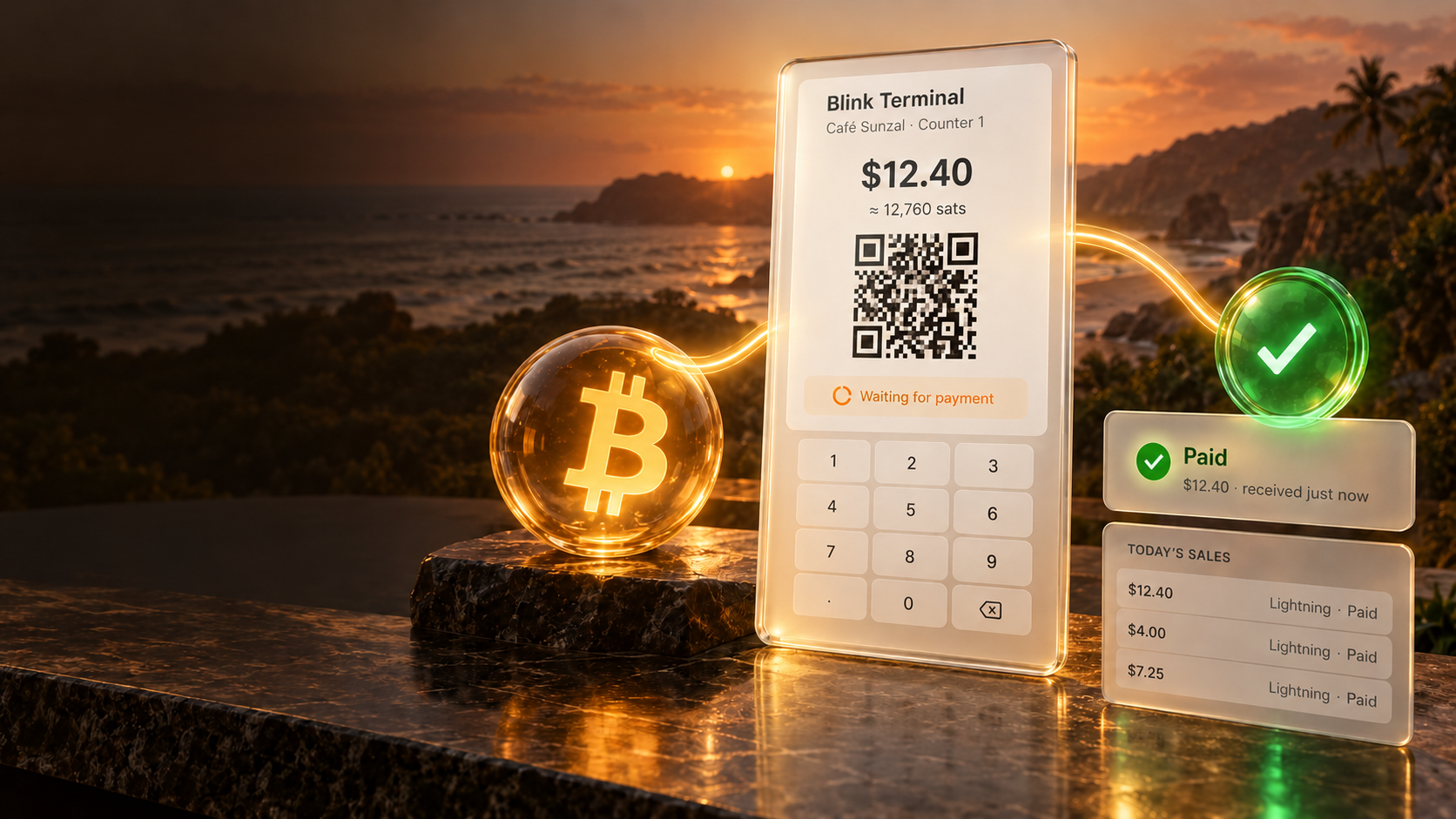

Understand Bitcoin while you use it.
Blink pairs a practical wallet with short Bitcoin lessons. Learn & Earn content walks through what money is, why Bitcoin works and how to keep your wallet safe — and may reward completed lessons with small amounts of sats. Rewards support learning and are not a source of income.
Completed
Completed
In progress
Not started
Lesson 3 · In progress
Lightning is a network built on top of Bitcoin. Payments move in seconds, which makes it practical for everyday purchases.
Quick check
Bitcoin communities
Blink grew out of Bitcoin Beach in El Zonte, El Salvador — a community where people started using Bitcoin for everyday life: buying food, paying for rides, getting paid for work. That circular economy shaped how Blink works today.
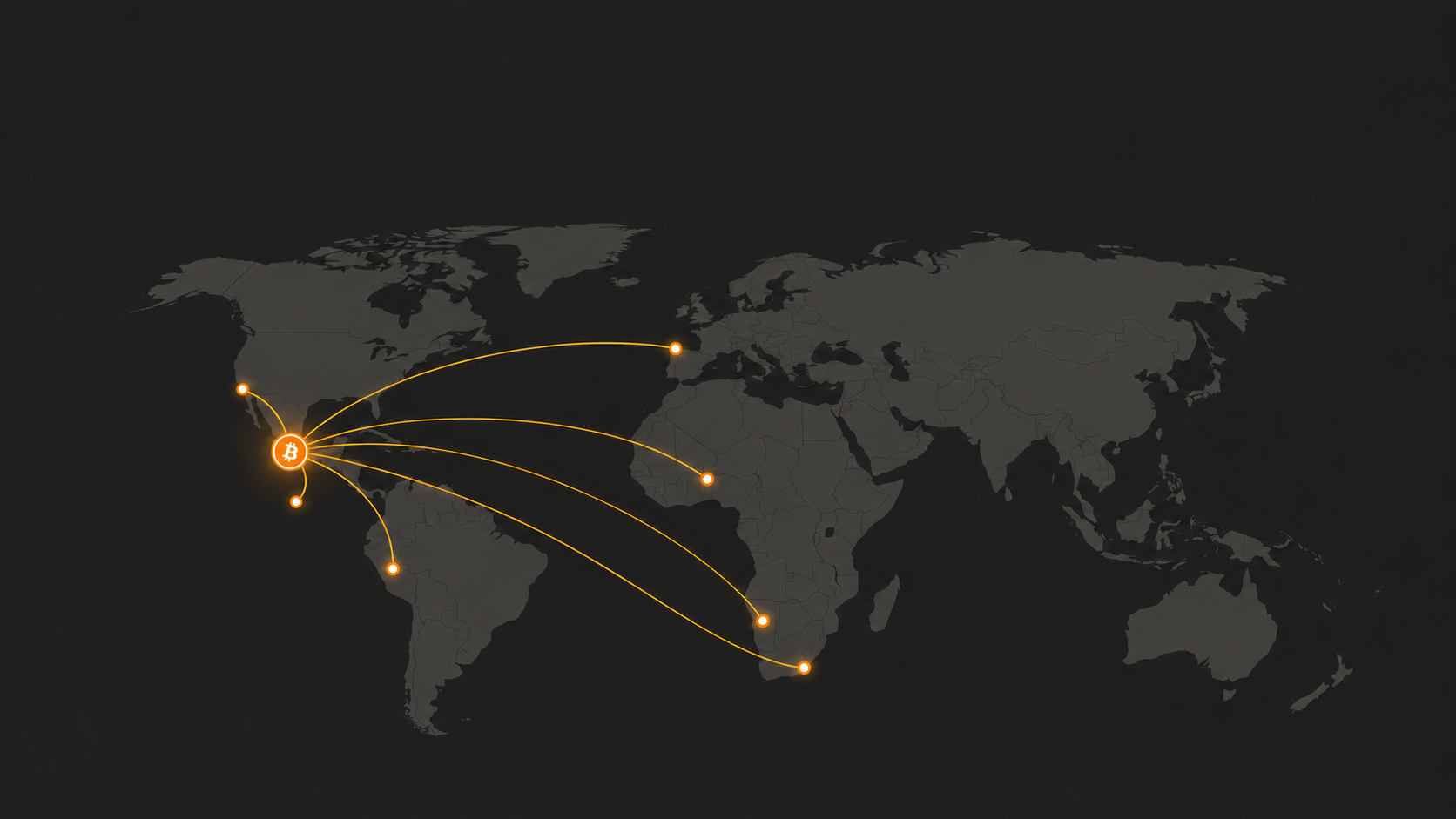
Guatemala
El Zonte · where Blink began
El Salvador
Perú
Portugal
Ghana
Namibia
South Africa
Bitcoin initiatives and circular economies using Blink. Map positions are approximate.

Blink account
Custodial balances · Lightning
Infrastructure
Blink API
Wallet & activity
Invoices & payments
Payment notifications
The API relates to custodial Blink accounts. Non-custodial Spark wallets are not operated through it.
Open infrastructure
Security
Custodial balances are managed by Blink, which uses practices including multi-signature cold storage. Non-custodial Spark wallets are controlled by you.
In self-custody, your 12-word phrase is the only way back. Keep it offline and private.
Check the recipient, amount, balance and method before confirming.
Blink will never ask for your recovery phrase. Download from blink.sv and keep Blink updated.
Write these 12 words down in order and keep them offline. Example words shown.
Blink cannot recover this phrase for you.


